


Star Wars Zero Company Reveals PC and Controller Controls Ahead of Launch
By Jaymo | 2 Days AgoStar Wars: Zero Company is launching next week, and EA has decided to share an early look at the game’s default controls for both PC and consoles. You can basically take a look at the control layouts ahead of launch, learn what the commands are, how it works, and what you can do with your squad using keyboard and mouse or a controller.
EA says the team wanted Zero Company to feel good regardless of how you choose to play, and this is why they put a lot of effort into the default setup for each platform ahead of release.
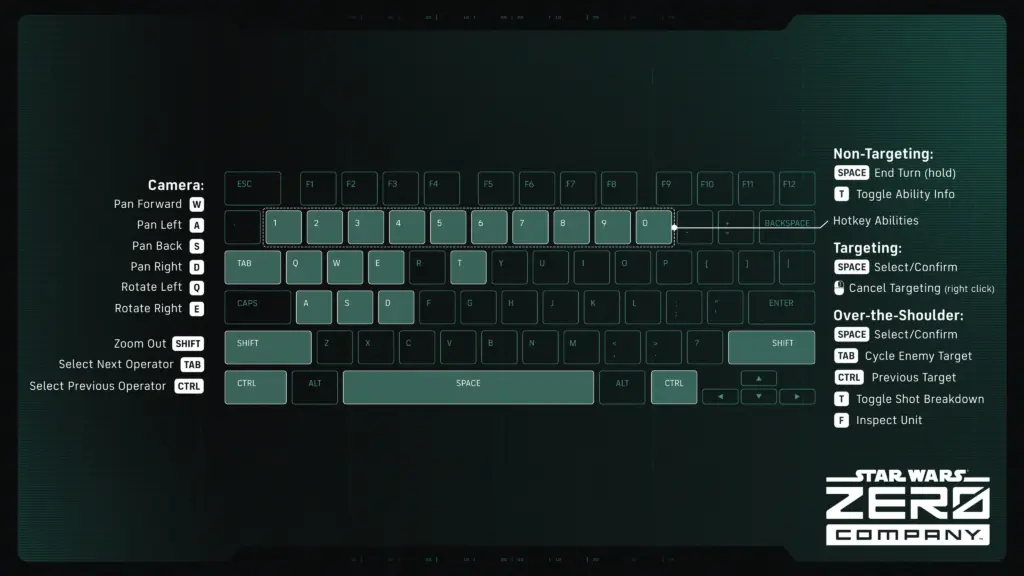
Star Wars Zero Company PC Controls
For PC players, the game uses the usual combination of keyboard and mouse controls, with movement, camera controls and tactical commands mapped across the keyboard and mouse. Keep in mind that if you do not have an English keyboard, the keys might change. For example, for French keyboards, WASD and QE are not in the exact same spot.
Star Wars Zero Company Controller Controls
If you are planning to play Star Wars Zero Company on PS5 or Xbox Series X|S, EA has also revealed the default controller layout.
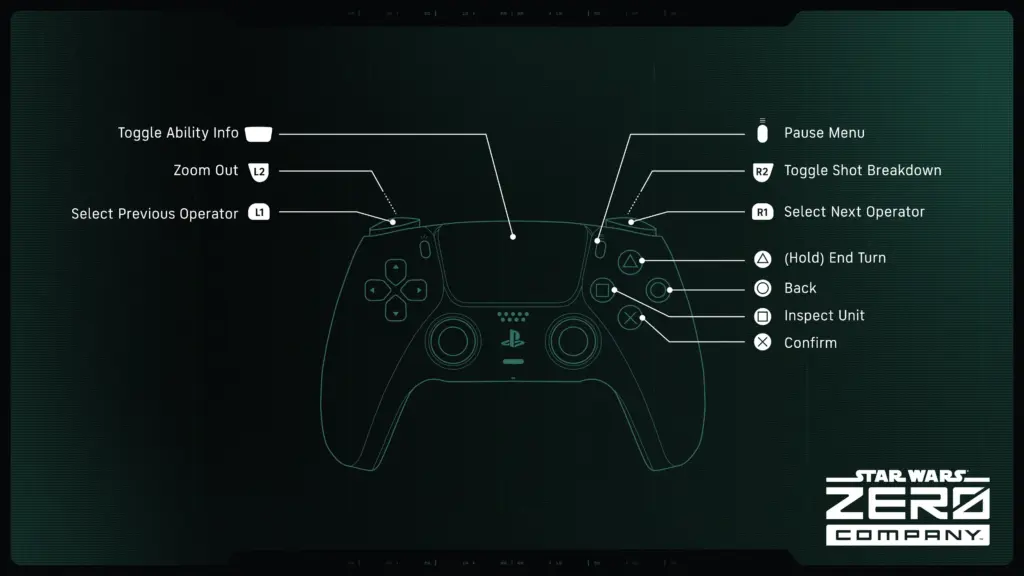
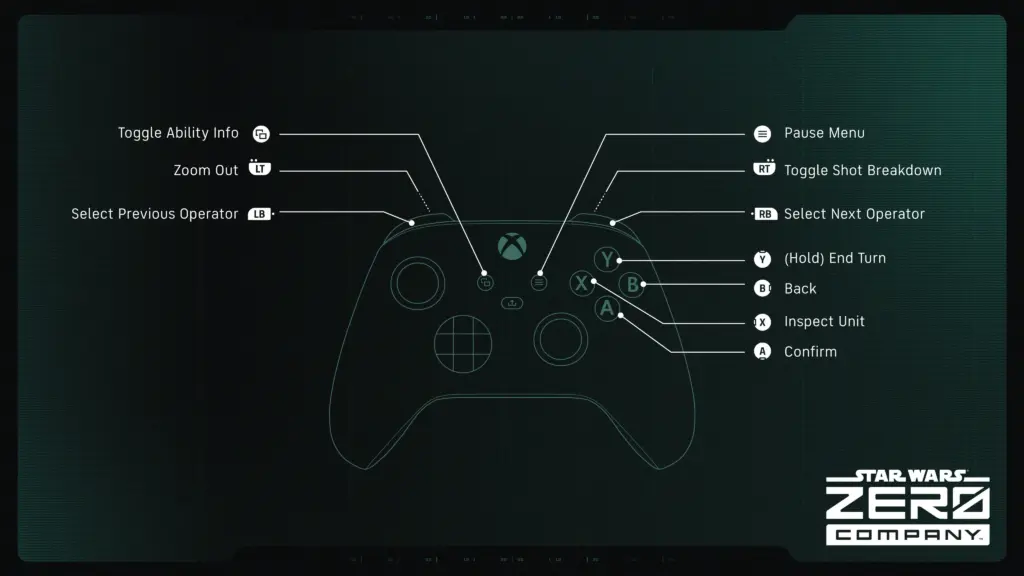
The controls should be particularly important in Zero Company since you will spend most of your time carefully managing your squad and deciding how to approach each encounter. It is a single-player, turn-based tactics game, so having quick access to your abilities and commands will be important when planning your next move.
EA refers to these as the “default control setups,” but they did not provide more details about the game’s controls, so we do not know how much you can customize these. If you are hoping to completely remap every key or button, you will have to wait until the game launches to find out exactly what is available, but it should be possible to remap a few things, at least for Keyboard users.
For more information about Star Wars Zero Company, check out our latest news!